Note: In the end, the problem I had building from source appears to have been incomplete / canceled apt upgrades.
As I mentioned earlier this week, I had to upgrade the Duo Security Multifactor Authentication software, known as Duo Unix. This software allows PAM access control with a multifactor authenticator to access my SSH boxes. An interesting aside: the same software is also handling the Web Server traffic for logging in to WordPress.
Note: After doing upgrades to my server, which had problems. I can now get ./configure working, so part of it sounds like my box was the issue due to an incomplete partial update.
Set up note, for this blog, I’m not redoing the work on my server, but running on a fresh install of Debian testing (Forky). I’ve already installed the kernel headers and build-essentials packages for use with the VirtualBox Guest Additions, so I’ll skip that below. If you don’t have those, you should make sure they’re installed. I don’t know if the headers are needed, but I’ve always grabbed those for installing from source.
When I originally built the software, I don’t think Duo Security was providing the Debian .deb packages for installation. Or if they were, they were not the same software revision at the time. For the upgrade, I decided to switch to the Debian package this time. That will be the next blog post. Needless to say, after some time working with their documentation and trying to get the apt command to work, I decided it might be faster to build from source again.
Spoiler alert, it wasn’t.
I tried to follow the directions at https://duo.com/docs/duounix to install the software with PAM support. While it says the software is easy to install, again, spoilers, it isn’t.
First off, after reading the documentation, I went to install the required extra software to make this work. The docs have each package listed individually, and each package’s apt command is just for that package. One of my issues with this is that it makes it easy to miss a package. The directions on GitHub are a little better.
Downloading:
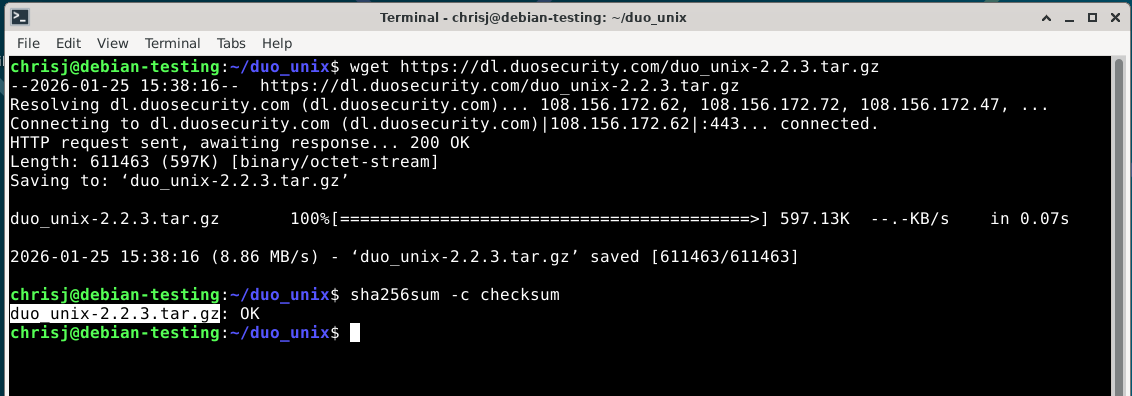
The first real issue is the download related to file names and checksums. If you use the download link on the page above, it creates a file called duo_unix-latest.tar.gz. However, the link to the checksum data is a string on a page with a download option for a tarball called duo_unix-2.2.3.tar.gz.
Required packages:
As I said above, the required packages for pam_duo, which we need, are spread out. I’m going to combine them into one command and install them at one time.
|
1 |
sudo apt install libssl-dev libpam-dev |
Note that the GitHub page also suggests some other software.
|
1 |
$ sudo apt-get install autoconf libtool libpam-dev libssl-dev make |
I already have make, so I’ve installed autoconf and libtool.
Install processes
Unpack the tarbar.

If you downloaded the file or cloned the GitHub repo, you’ll have an extra file called bootstrap to run first. However, I don’t have that in the tarbar.

Duo’s document says to run the following command
|
1 |
$ ./configure --with-pam --prefix=/usr && make && sudo make install |
I’m going to break it into parts in case something goes wrong, for easier troubleshooting.
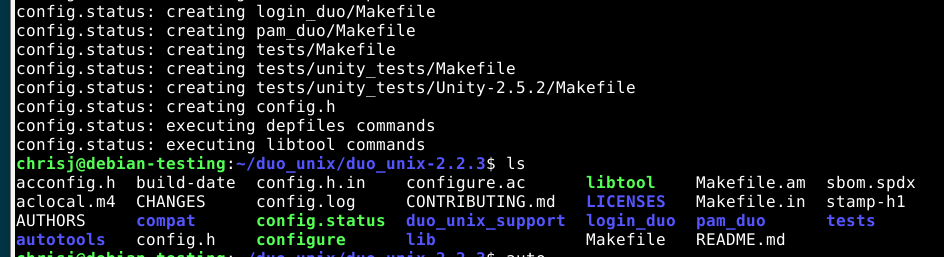
Of course, a fresh install worked.
And then the blog post breaks. That actually worked on a clean install. But when I tried it on my server, it failed.
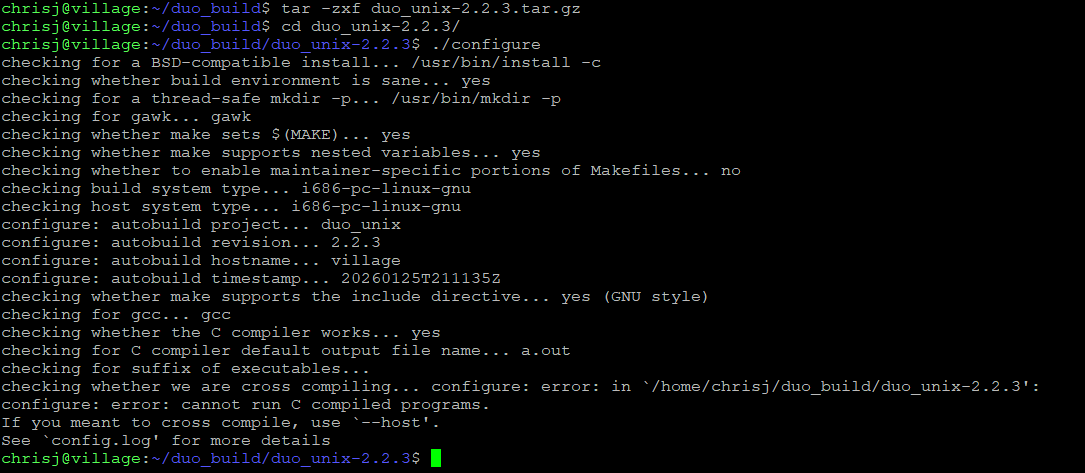
Failure screen from the server.
On the server, I’m getting segfaults and errors related to autoconf and other related commands. Even though the software is installed.
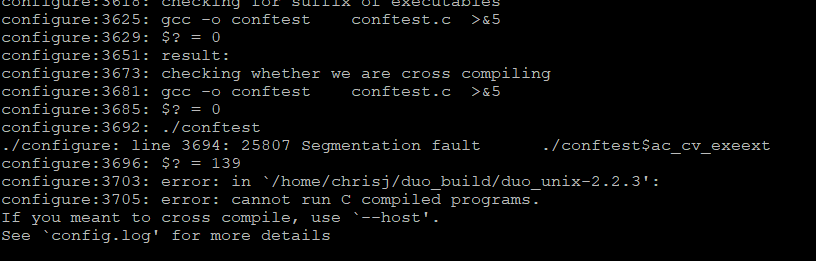
Segfault in the error logs.
Anyway, on the server, I ended up moving back to working on getting the Duo Debian repo added to my source lists and installed that way. But that is for another blog post.
One good thing came out of this blog post. I finally did the system updates on my server. I was putting them off because I needed to change Dovecot versions.